
Stop managing drydock projects through Excel and endless email chains.
Dockstation helps shipowners and ship managers plan drydock tasks, manage specifications, compare quotations, and track project progress from one structured workspace.
View
View
View
| Task Name | Project Name | Due Date |
|---|---|---|
| Technical specification | M/V Demo DD2026 | 05/08/2025 |
| Vessel Repair Plan | M/V Demo DD2026 | 15/08/2025 |
| Annual Vessel Survey | M/V Demo DD2026 | 17/08/2025 |
| Quote | M/V Demo DD2026 | 21/08/2025 |
| Compare Quotes | M/V Demo DD2026 | 24/08/2025 |
Drydock coordination becomes difficult when every department works from different files.
One workspace for planning, specifications, quotes, and project tracking.
Dockstation gives shipowners and ship managers a structured digital environment to manage drydock projects from preparation to completion.
Plan the project
Create drydock tasks, organize phases, define start offsets and durations, and keep project preparation structured.
Manage specifications & quotes
Prepare job specifications, request quotations, and keep quote information organized by vessel and project.
Compare and follow up
Compare yard or supplier offers side by side and monitor open, overdue, and upcoming project tasks.
Move from fragmented drydock administration to a repeatable workflow.
Before Dockstation
- Multiple Excel versions circulated by email
- Manual quotation comparison
- Unclear status of overdue tasks
- Progress updates difficult to consolidate
With Dockstation
- One project workspace for the drydock team
- Structured specifications and quote comparison
- Clear overview of running projects and tasks
- Progress updates available from desktop or mobile
See how Dockstation supports the drydock workflow.
Real platform views for dashboard monitoring, project planning, and mobile progress updates.
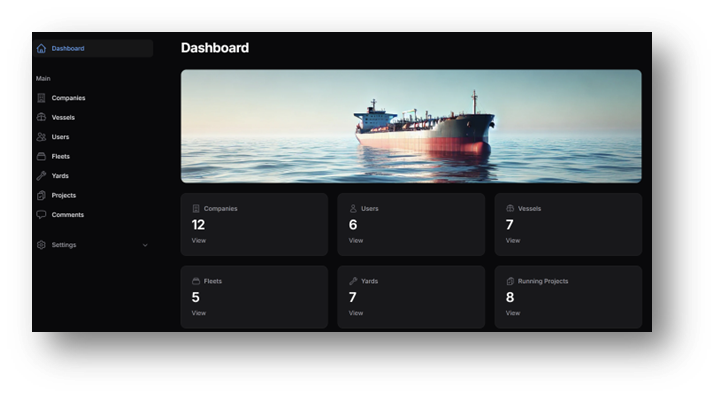
Dashboard overview
View vessels, fleets, yards and running projects from one place.
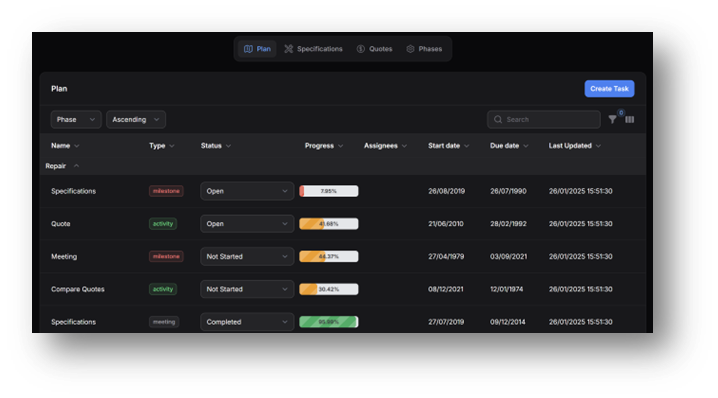
Project planning
Organize tasks, phases, statuses, progress and due dates.
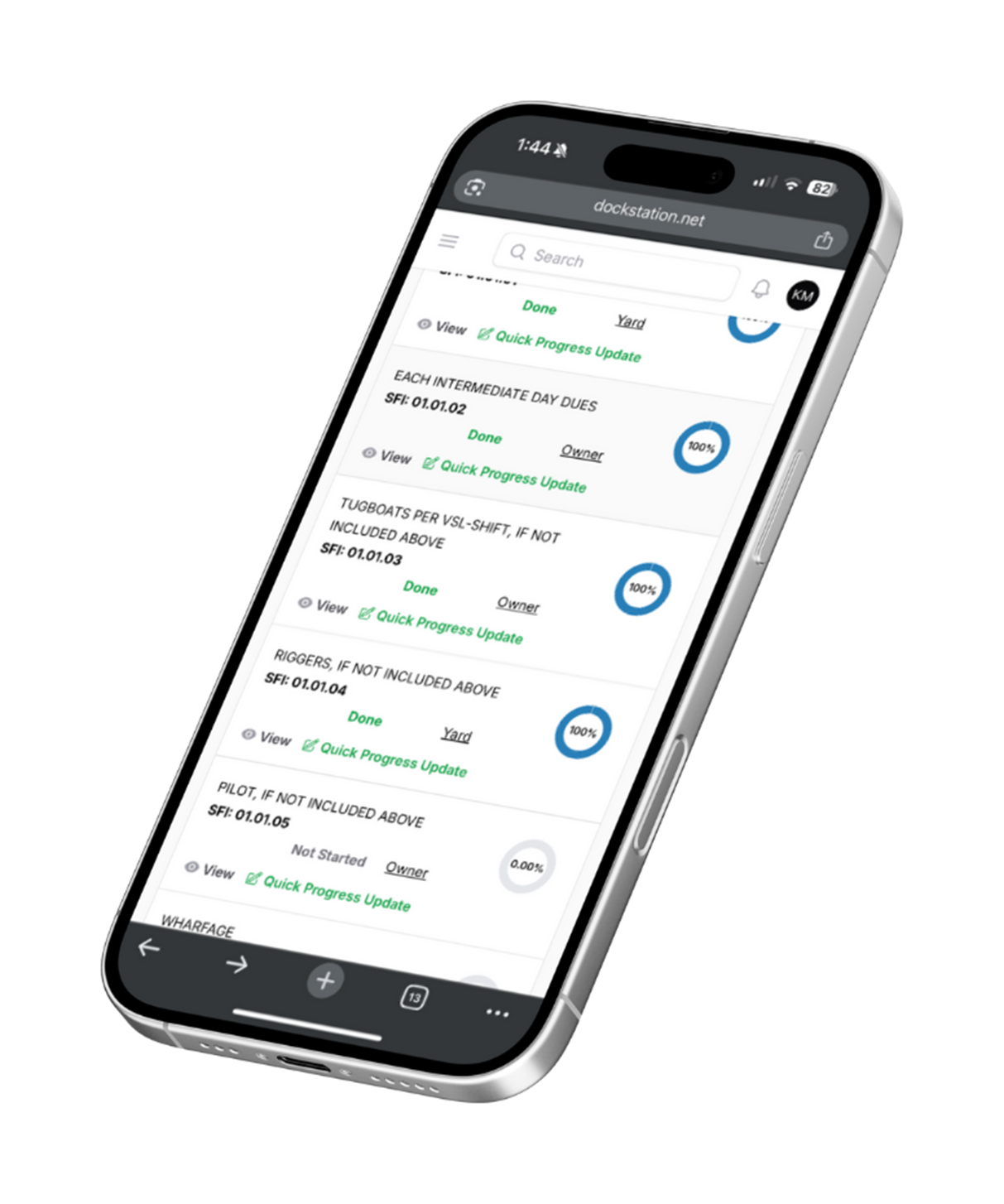
Mobile progress updates
Allow onboard teams to view items and update progress during the project.
Designed specifically for shipowners and ship managers.
Dockstation reflects the practical drydock process: tasks, phases, job specifications, quotations, quote comparison, and project follow-up across vessels.
“Drydock is complex enough. The workflow around it should not be.”
Dockstation helps technical teams bring structure, visibility and consistency to drydock preparation and execution.Built for the teams responsible for successful drydock execution.
Dockstation supports maritime teams that need more structure, visibility, and consistency across vessel drydock projects.
Ready to simplify your next drydock project?
Book a short demo and see how Dockstation can help your team structure drydock planning, specifications, quotations, and project follow-up.